


How to convert HEIC to PNG
- 1
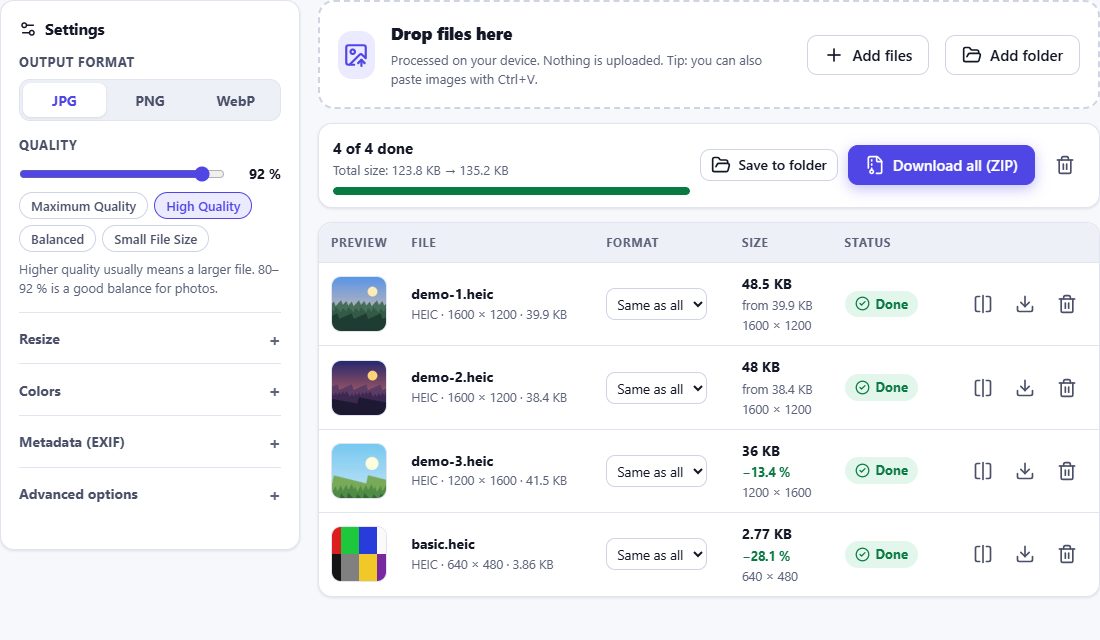
Add HEIC files
Drag photos onto the box or click Choose Files. PNG is already selected as the output format.
- 2
Optional: resize
PNG files of full-size photos are large. Use Resize to reduce the dimensions if you need smaller files.
- 3
Download PNG
Download single images or all of them as a ZIP archive.
When is PNG the right choice?
PNG stores every pixel exactly – there are no compression artefacts, even after repeated editing. That makes it ideal for graphics, screenshots, images with text, cut-outs with transparency and as a master copy for further editing. For ordinary photos that you want to share, JPG or WebP is usually better, because a PNG of a photo can be five to ten times larger.
Transparency and color profiles
HEIF files can contain an alpha channel (for example portrait cut-outs or stickers). HEIC Studio keeps transparency when converting to PNG. The embedded color profile (ICC) is written to the PNG as an iCCP chunk, so colors match the original.