


How to use the converter
- 1
Add images
HEIC, HEIF, JPG, PNG and WebP are accepted. The real format is detected from the file content, not the extension.
- 2
Choose settings
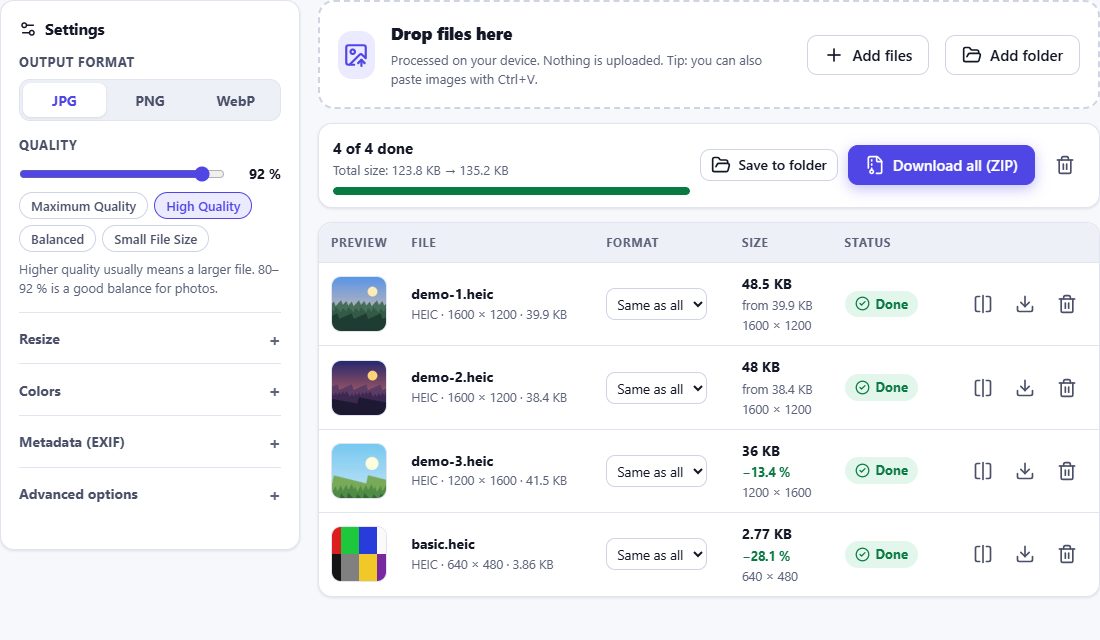
Pick the output format, quality, size and metadata options. You can also change the format of a single file in the list.
- 3
Save the results
Download each file or the whole set as ZIP. The originals on your device stay unchanged.
Supported conversions
| From | To | Notes |
|---|---|---|
| HEIC / HEIF | JPG, PNG, WebP | color profile, orientation and EXIF handled |
| JPG | PNG, WebP | EXIF orientation applied |
| PNG | JPG, WebP | transparency filled with a color for JPG |
| WebP | JPG, PNG | animated WebP: first frame only |
AVIF files are opened if your browser can decode them.
Choosing the right format
- JPG – maximum compatibility for photos (e-mail, printing, social networks).
- PNG – lossless, with transparency; best for graphics and further editing.
- WebP – smaller files for websites and apps.
Not sure? Use JPG – it opens everywhere.
Wrong file extension? No problem
Photos are sometimes renamed incorrectly – a JPG called .heic, or a HEIC saved as .jpg. HEIC Studio reads the file signature and processes the image according to its real format, and tells you about the mismatch.
Frequently asked questions
Can I convert JPG to PNG or PNG to JPG here?
Yes. Any of JPG, PNG and WebP can be converted to the other two formats, in addition to HEIC/HEIF.
Can I use different formats for different files?
Yes. The list has a format selector for every file; it overrides the common setting.
Is the original file changed?
Never. The converter only reads your files and creates new ones for download.
What does “Preserve supported metadata” keep?
Standard EXIF data such as date, camera, lens, exposure and (unless removed) GPS. XMP, maker-specific data previews and embedded thumbnails are not copied.