


How to edit a photo
- 1
Open a photo
HEIC, HEIF, JPG, PNG and WebP are supported.
- 2
Edit
Use crop with aspect presets, rotate and flip, and the sliders for brightness, contrast, exposure, saturation and sharpening. Compare with Before / After at any time.
- 3
Export
Choose JPG, PNG or WebP and export the result in full resolution.
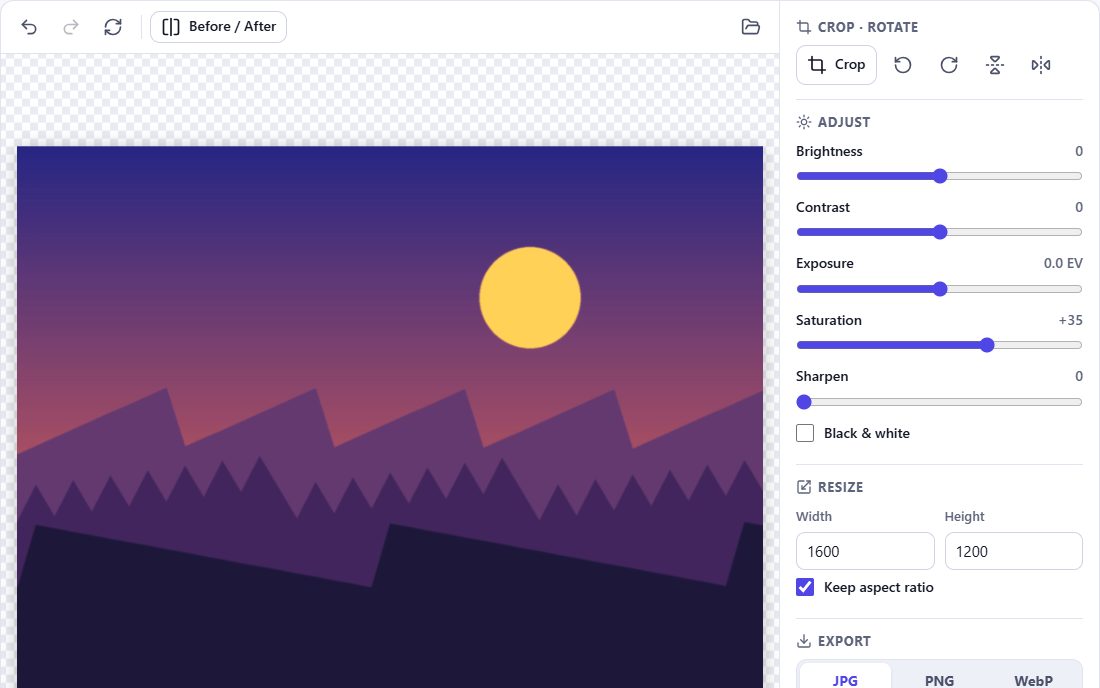
Editing tools
- Crop – free or 1:1, 4:3, 3:2, 16:9, 9:16
- Rotate 90° and flip horizontally or vertically
- Resize with or without keeping the aspect ratio
- Brightness, contrast, saturation and exposure (calculated in linear light, like a camera)
- Sharpen and black & white
- Undo / redo, reset and before/after comparison
Non-destructive editing
The editor keeps a list of your adjustments rather than repeatedly changing the pixels. The preview is rendered from the original every time, and the export applies all edits once to the full-resolution image. This avoids quality loss from repeated processing, and your original file is never modified.
Frequently asked questions
Does editing reduce quality?
Edits are applied once, at export, to the full-resolution original. Choose PNG or Maximum Quality JPG to avoid noticeable compression.
Can I edit HEIC files without converting first?
Yes. Open the HEIC directly; the editor decodes it and you export the result as JPG, PNG or WebP.
Is there an undo?
Yes – undo and redo for every step, plus a reset to the original.
Are my photos uploaded?
No. The editor runs entirely in your browser.