


How to compress photos
- 1
Add photos
JPG, PNG, WebP and HEIC are accepted – many at once.
- 2
Choose quality and size
Lower quality and smaller dimensions give smaller files. 75–85 % and 1600–2560 px suit most uses.
- 3
Compare and download
Check the result in the before/after view and download single files or a ZIP.
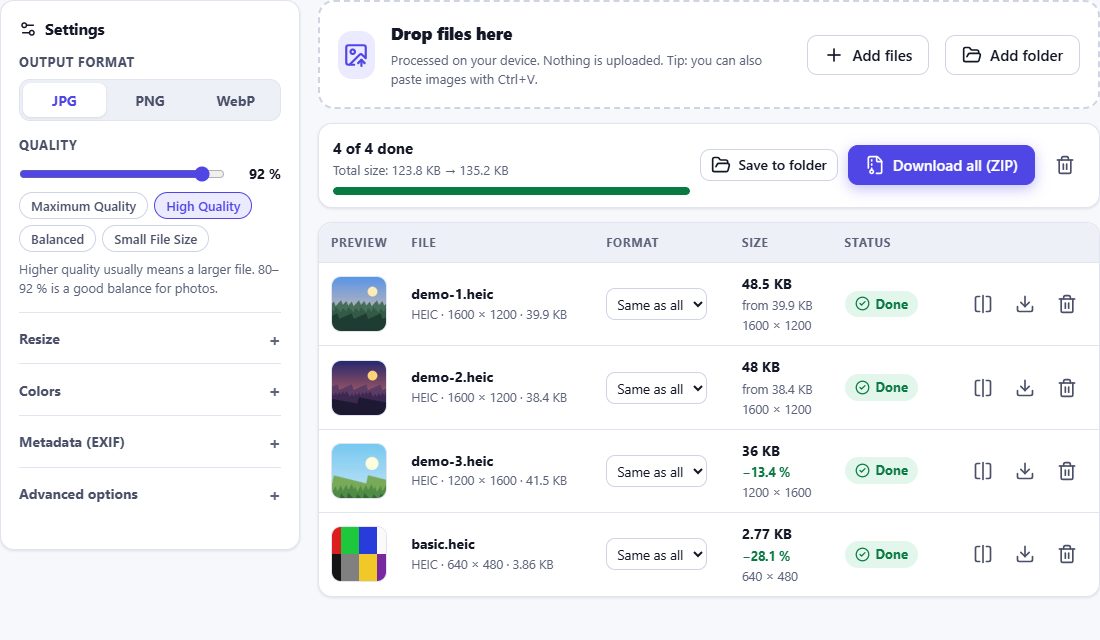
Honest numbers
The saving is measured on the file that was actually created – we do not promise a fixed percentage in advance. If a file is already well compressed, the result may be only slightly smaller or even larger; HEIC Studio tells you so, and you can keep the original.
Tips for small files with good quality
- Reducing dimensions saves more than reducing quality: a 12 MP photo is rarely needed on the web.
- WebP is usually smaller than JPG at the same quality.
- PNG is lossless – for photos, convert to JPG or WebP to make them smaller.
- Removing metadata saves a few kilobytes and protects your privacy.
Frequently asked questions
How much smaller will my photos get?
It depends on the photo and the settings. The tool shows the exact saving for each file after compression.
Will compression reduce quality?
Lossy compression removes detail you are unlikely to notice at moderate settings. Use the before/after comparison to check.
Can I compress PNG?
PNG is lossless, so the quality slider does not apply. Reduce the dimensions or convert to WebP/JPG for real savings.
Are my photos uploaded for compression?
No – compression runs on your device.